Table of Contents
- AWS vs Azure vs GCP at a Glance
- The First Misconception: These Cloud Platforms Are “Similar”
- Where AWS Still Leads
- Why Azure Wins More Deals Than People Admit
- GCP’s Advantage Isn’t Size, It’s Design
- Migration Reality
- Cloud Migration Readiness Checklist
- The Cost Myth That Keeps Repeating
- Multi-Cloud Isn’t Strategy, It’s Reality
- How Teams Manage More Than One Cloud
- What Actually Drives the Right Decision
- A Practical Perspective From the Field
- What This Means for Your Cloud Strategy
- FAQ
Short answer: Choose Azure if your company already runs on Microsoft tools, Google Cloud (GCP) if your work centers on data analytics and machine learning, and AWS if you need the broadest range of services and the freedom to customize. Whichever you pick, your team’s skills, your existing systems and how well you manage costs usually matter more than the provider itself. ClarityTechLabs builds and runs cloud environments on AWS and GCP, including a cloud infrastructure and DevOps pipeline on AWS for PicnicHealth that reached 99.9% uptime.
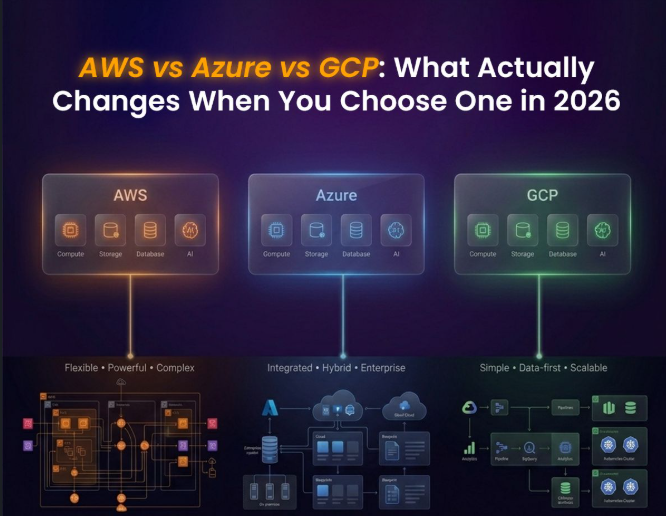
The decision process between AWS, Azure, and GCP is not a matter of having the most complete list of features available nowadays. It looks the same on paper. Computing? Got it. Storage? Got it. Network, databases, AI capabilities, everything is there. However, when you dive into development, scaling, and migration, the differences become very obvious almost immediately. And not in an obvious way. Differences will be seen in traffic management, deployment processes, access control, and finally… in your monthly bill after six months.
Based on experience, this decision does not come down to a feature comparison. This comes down to architecture, identity management, operations complexity, and the practical implementation of it all. Let’s see what this means.
AWS vs Azure vs GCP at a Glance
Before getting into the differences that only show up in practice, here is how the three platforms line up on the services most teams compare first:
| Area | AWS | Azure | Google Cloud (GCP) |
|---|---|---|---|
| Identity and access | AWS IAM (policy-based) | Microsoft Entra ID with Azure RBAC | Google Cloud IAM (role-based) |
| Virtual machines | Amazon EC2 | Azure Virtual Machines | Compute Engine |
| Managed Kubernetes | Amazon EKS | Azure Kubernetes Service (AKS) | Google Kubernetes Engine (GKE) |
| Serverless | AWS Lambda | Azure Functions | Cloud Run (including Cloud Run functions) |
| Object storage | Amazon S3 | Azure Blob Storage | Cloud Storage |
| Data warehouse | Amazon Redshift | Microsoft Fabric / Azure Synapse Analytics | BigQuery |
| AI and ML platform | Amazon Bedrock, Amazon SageMaker | Microsoft Foundry, Azure OpenAI | Vertex AI |
| Hybrid and on-premises | AWS Outposts | Azure Arc | Google Distributed Cloud |
| Often the best fit for | Complex, customized applications | Microsoft-centric enterprises and hybrid setups | Data-intensive and machine learning workloads |
Service names change over time. Check each provider’s documentation for the current names and features.
The First Misconception Is That These Cloud Platforms Are “Similar”
At first glance, it may look good. However, once you try to implement these systems, you will understand where the differences are. Take, for instance, the implementation of authentication and authorization. In AWS, IAM works with policy-based access control. You simply need to create policies for all users, roles, and applications; however, things become complicated if you need to grow your business.
Azure uses Microsoft Entra ID, previously called Azure Active Directory. All operations use role-based access control (RBAC) throughout all the resources. Finally, IAM on GCP looks cleaner; there might be some limitations when implementing specific solutions. These small details may seem small at first; however, once implemented, they affect how secure, maintainable and understandable your system is. .
Where AWS Still Leads
The “best” depends on you, but AWS never blocks you. If your project involves a unique configuration, integration, or an advanced managed service, AWS will certainly offer that. AWS also offers the broadest range of services of the three, and that breadth matters most when you are building a real application rather than a prototype. This flexibility comes at a cost.
It takes real skill and experience to configure and manage AWS networking: VPCs, routing, NAT gateways, PrivateLink and similar services. A minor mistake can result in poor performance and extra charges. Cost visibility also takes deliberate setup, such as consistent tagging, budgets and alerts.
|
Cloud Consulting on GCP and AWS Choose and run the right cloud with confidenceClarityTech Labs helps businesses plan cloud migrations, design clean architectures and keep cloud costs under control on GCP and AWS. Architecture reviews • Migration planning • Cost control |
Why Azure Wins More Deals Than People Admit
What makes Azure successful goes beyond what technology Azure brings to the table. Compatibility becomes the key factor here. For example, if your firm has been using other software products that are from Microsoft, Azure would be an easy option for you. Azure is also good at hybrid cloud management: with tools like Azure Arc, it is much easier to bring on-premises and cloud systems together. Some teams find the Azure portal and its naming conventions harder to navigate, which can slow developers down at first. For enterprise software, though, it works well.
GCP’s Advantage Isn’t Size, It’s Design
The approach of GCP is completely different from the above two. GCP is opinionated in nature. Rather than offering too many services, it offers just a few things in a very good way. In BigQuery, there is a new way to perform analytics where you can query data without any worry about cluster management. With Google Kubernetes Engine (GKE), Kubernetes looks a lot simpler as compared to other cloud service providers. You will find it much more natural to work on machine learning jobs in this cloud ecosystem. It is very opinionated, yet if your requirement matches its opinion, then GCP is going to be easy on you.
Migration Reality
Migration is easier described than done. Everyone knows how to migrate. But not everyone talks about what they face during the process.
Here’s what is often encountered:
- Mapping services is complicated
Not only do you have to rename services. The applications that run on Google Compute Engine work differently from those running on Amazon EC2. Some reengineering is often needed.
- Data migration takes both time and effort
Moving substantial volumes of data takes quite some effort and time. This step is often overlooked.
- Costs for infrastructure appear at the last minute
Cost for transferring and storing all of that information appears only at the final stage and tends to be a shock.
- There’s still potential for downtime
Despite the use of replication technologies, the transition point may still lead to unexpected downtime because of misconfiguration.
- Your people slow you down
People from your team need to have a profound understanding of the environment to which you are migrating. Otherwise, even simple tasks may turn out to take lots of time.
Cloud Migration Readiness Checklist
Whether you are moving from AWS to GCP, GCP to AWS or into Azure, these checks reduce surprises:
- Inventory every application and its dependencies, including databases, queues, scheduled jobs and third-party integrations.
- Map each service to its equivalent on the target cloud, and note where no direct equivalent exists.
- Estimate data transfer and egress costs before you start moving large volumes of data.
- Plan identity and access on the target cloud before any workload moves.
- Choose an approach per workload: rehost (lift and shift), replatform or refactor.
- Test the cutover and the rollback plan, not just the migration itself.
- Set budgets and cost alerts on the new environment from day one.
- Train the team that will run the new environment before go-live.
Each provider also offers its own migration tooling, such as AWS Application Migration Service, Azure Migrate and Google Cloud Migration Center, to help assess and move workloads.
The Cost Myth That Keeps Repeating
Many companies move to the cloud expecting immediate savings. It rarely works like that. List prices for comparable services are often fairly close across AWS, Azure and GCP, and your actual bill depends far more on how efficiently you run them.
You end up spending more due to:
- Infrastructure idleness
- Poor scalability
- Underused storage
- Lack of transparency
The price per service is rarely the real problem. Without strong cost discipline, switching clouds will not help you. FinOps beats cloud choice hands down.
Multi-Cloud Isn’t Strategy, It’s Reality
Multi-cloud is not often designed by teams from day one. On the contrary, it happens over time, with one team adopting AWS to create an infrastructure, another using GCP for analytics, Azure for integration, and suddenly there are three clouds in place.
The trouble does not lie in working with multiple clouds.
- The difficulty lies in treating them all the same.
- Monitoring becomes harder.
- Identity management becomes complex.
- Cost management becomes decentralized.
To put it simply, multi-cloud without proper governance makes things worse.
How Teams Manage More Than One Cloud
If you already run workloads on more than one provider, a few practices keep things under control:
- One infrastructure-as-code tool across clouds, such as Terraform, so deployments are automated and repeatable.
- One identity provider with single sign-on into each cloud, instead of separate user lists.
- Central monitoring and logging, so incidents are not investigated in three different consoles.
- Consistent tagging and a clear cost owner for every account, subscription and project.
- Hybrid management tools where they fit. For example, Azure Arc can bring servers and Kubernetes clusters running outside Azure under Azure management.
What Actually Drives the Right Decision
The “perfect” cloud solution would depend solely on your circumstances.
Consider these factors when making your decision:
- Your Existing Environment
If you’re a company with a heavy investment in the Microsoft ecosystem, then Azure is probably a natural fit. Going against that doesn’t make much sense.
- Your Team’s Expertise
If you have a team with extensive experience with AWS workloads, shifting to GCP is not going to yield better outcomes; it might even backfire.
- Your Workload
Workloads that are highly data-intensive suit GCP very well. Applications geared toward enterprises suit Azure. Complex and customized applications suit AWS.
- Your Compliance and Data Residency Needs
Check that each provider offers the certifications and regions your industry needs. For example, if you handle protected health information in the US, confirm that the specific services you plan to use are covered under the provider’s Business Associate Agreement (BAA).
- Your Pricing Model and Commitments
All three providers discount steady workloads in exchange for a usage commitment, through AWS Savings Plans and Reserved Instances, Azure reservations and savings plans, and Google Cloud committed use discounts. Model your real usage with each provider’s pricing calculator before you compare prices.
A Practical Perspective From the Field
The success of cloud computing doesn’t lie in selecting the right vendor; it lies in the design and operation strategy that you apply to it. The firms that have succeeded greatly in applying it are those who use architecture, automation, and operations extensively. Cloud, for such organizations, symbolizes an ongoing process of improving processes and not just an implementation. This is where the expertise truly shows its power. At ClarityTechLabs, we focus on clean architectures, automation-first workflows and systems that hold up under load. Learn more about our cloud services, or read our deeper comparison of AWS vs GCP for cloud migration.
What This Means for Your Cloud Strategy
The three technologies are highly effective. The three technologies can be used to develop scalable architectures. Nevertheless, they shape how your architecture will evolve. You might compare all three by their functionality, and then you won’t reach the point. But if you look at them from the point of view of architecture, team skills, and operation, you’ll be able to make the right decision. That is because in the end, the success of your cloud doesn’t depend on the best technology but on how it is used properly.
FAQ: AWS vs Azure vs GCP
Which cloud is best for AI and machine learning?
All three offer managed AI platforms: Amazon Bedrock and SageMaker on AWS, Microsoft Foundry and Azure OpenAI on Azure, and Vertex AI on Google Cloud. The better choice usually depends on where your data already lives, which models you need and your team’s experience.
Is GCP cheaper than AWS or Azure?
Not by default. Your bill depends on the workload, region, discounts and how efficiently you run it. Use each provider’s pricing calculator with your real usage to compare.
Is it hard to migrate from AWS to GCP, or from GCP to AWS?
It is manageable, but it is rarely a simple lift and shift. Services need to be mapped, identity rebuilt, data transfer costs planned and the team trained. Each provider offers migration tools to help assess and move workloads.
Which cloud is best for a company that uses Microsoft products?
Azure is usually the natural fit for companies heavily invested in Microsoft, because it works closely with Microsoft Entra ID and other Microsoft tools your teams already use.
Can a business use AWS, Azure and GCP together?
Yes. Many organizations end up multi-cloud. It works best with shared infrastructure-as-code, a single identity provider, central monitoring and clear ownership of costs.